14.8. Positioning Implants and Abutments
____________________________________________________________________________________________
Functionality is available in a separate module which is activated in the Pro edition for an extra fee
____________________________________________________________________________________________
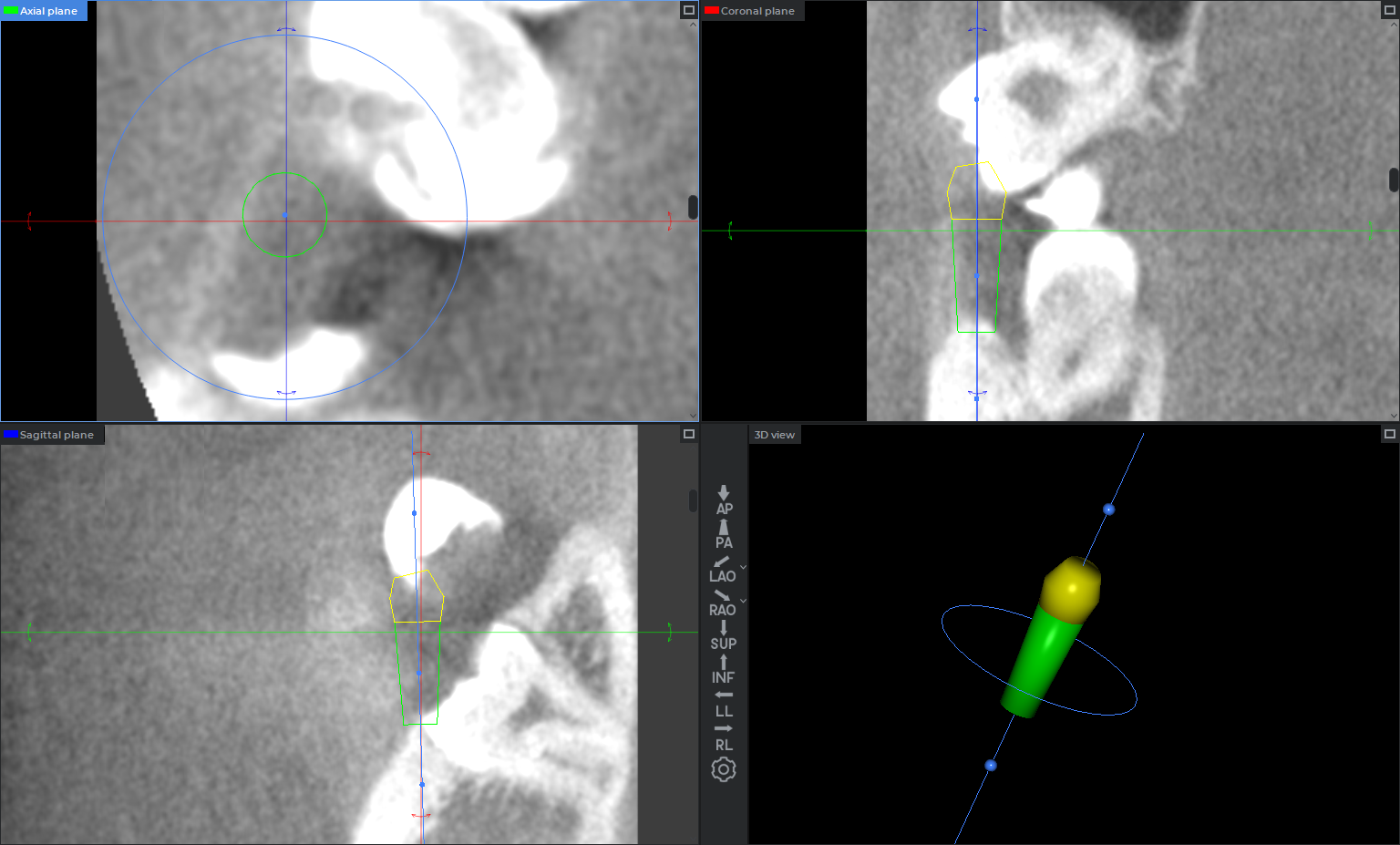
Positioning is available for a selected, unlocked implant in the MPR section plane windows and the 3D view window. For a locked implant, the axis is displayed, but positioning controls are unavailable.
The implant axis is displayed as a blue line. In the MPR section plane windows, its appearance depends on the axis position relative to the plane:
-
if the axis is parallel to the view plane, it is displayed as a line;
-
if the axis is not parallel to the view plane, it is displayed as a point where the axis intersects the plane.
In the 3D view window, the implant axis is always displayed as a line, but it may be obscured by the volume reconstruction and placed models.
To move an implant along its axis, hover the pointer over the implant axis, hold down the left mouse button, and move the implant. The axis is highlighted when the pointer hovers over the active area.
To rotate an implant around the platform center or apical point, use the blue control points on the implant axis. To rotate an implant around its own axis, use the circular implant rotation handle.
To move an implant freely:
-
in an MPR window, hold down the left mouse button on the central blue control point and move the implant;
-
in a 3D window, hold down the left mouse button on the implant surface and move the implant.
An abutment placed on an implant moves together with the implant. A selected, unlocked abutment can be rotated around the implant axis. When an abutment is selected, its circular rotation handle is displayed, while the other implant positioning control points and handles are hidden.
 | Interactive positioning of implants and abutments is not available on the curvilinear reconstruction. Implants are positioned interactively in the MPR section plane windows and the 3D view window. |