
2.11. Automatic Image Arrangement Using a Hanging Protocol
A hanging protocol defines the rules for automatically arranging images in the Image viewer tab. The protocol determines which series it can be applied to, which images should be displayed in each window, how the windows are arranged on the screen, and which display settings are used for the selected layout.
When a series is opened, the DICOM Viewer searches for a suitable active hanging protocol. A series is considered suitable if its DICOM tags match the protocol applicability criteria and the series selection criteria. If a suitable protocol is found, the images are arranged according to the first layout defined in the protocol.
If several active hanging protocols are suitable for the series, the DICOM Viewer selects the protocol with the higher level. If the levels are the same, the protocol with the later creation date and time is selected.
When a hanging protocol is applied to an open series, the Series arrangement  button on
the toolbar is replaced by the Hanging protocol
button on
the toolbar is replaced by the Hanging protocol  button (highlighted with a red frame in
Fig. 2.17).
button (highlighted with a red frame in
Fig. 2.17).
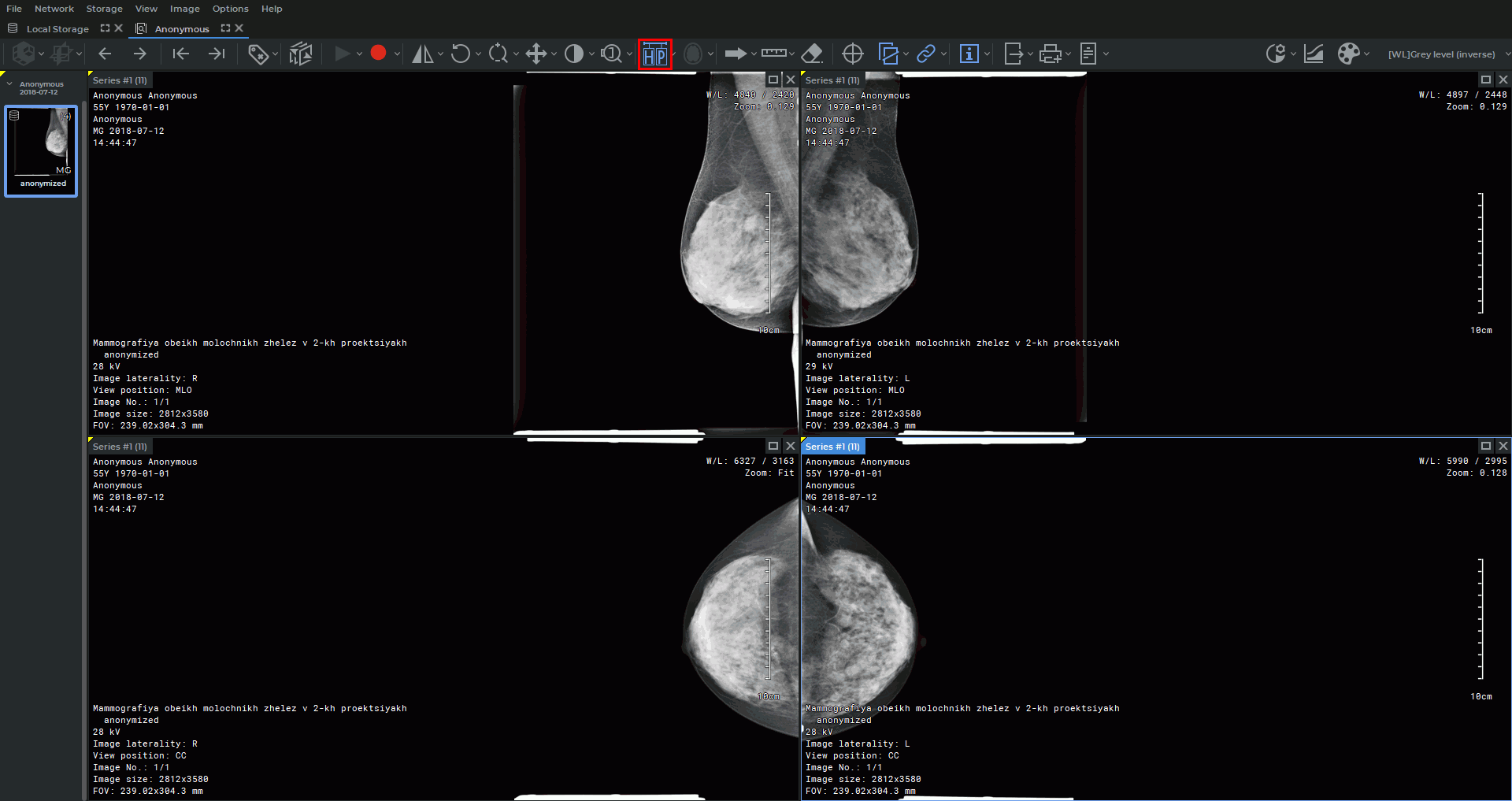
 | The DICOM Viewer includes a built-in hanging protocol for mammography. The series layouts of the built-in protocol are displayed in the drop-down menu of the Hanging protocol button and can be used for automatic layout selection if the protocol is active. |
To manually apply a suitable hanging protocol to the current series, click the arrow on the Series
arrangement button and select the Switch to hanging protocol command. If a
suitable active protocol is found for the series, the tab windows are rearranged according
to the first layout of this protocol. If no suitable protocol is found, an error message is
displayed.
The Hanging protocol command is also available from the context menu of the Image viewer tab.
When switching from a hanging protocol to standard series arrangement, the arrangement specified for the modality of the current series is applied. If no separate settings are specified for this modality, the default arrangement defined in the Image viewer module settings is used (see Section 18.7.1).
| | Only active hanging protocols added to the repository of the DICOM Viewer can be applied. Protocols can be activated or deactivated in the Image viewer module settings (see Section 18.7.1). |
| | A hanging protocol defines the layout within a single screen. Displaying multiple image sets from current and prior studies within one protocol is not supported. |
Hanging protocols are managed in the Hanging protocol tab of the Image viewer settings window, where you can create new custom protocols, delete protocols, and import and export hanging protocols in DICOM format. To open the hanging protocol management settings, select Options->Settings...->Modules->Image viewer from the main menu and click the SETTINGS button. For details on configuration, see Chapter 23.