
9.1. Opening a Series in the "Pulmonary Analysis" Tab
____________________________________________________________________________________________
Functionality is available in a separate module which is activated in the Pro edition for an extra fee
____________________________________________________________________________________________
To open a series in the Pulmonary Analysis tab, follow these steps:
-
Load a study into the DICOM Viewer.
-
Select a soft-tissue series with the CT modality. The series must meet the requirements for opening in the MPR reconstruction tab.
-
Click the Pulmonary Analysis Add-on
 button on the toolbar. To select the
desired tab placement (in the current window, in a separate window, or in full-screen
mode), click the arrow on the button. To open the pulmonary analysis window in a new
tab in the current window, click the button. Opening the tab may take some time.
button on the toolbar. To select the
desired tab placement (in the current window, in a separate window, or in full-screen
mode), click the arrow on the button. To open the pulmonary analysis window in a new
tab in the current window, click the button. Opening the tab may take some time.
The Pulmonary Analysis tool is also available in the View section of the main menu and in the series thumbnail context menu.
The Pulmonary Analysis tab is shown in Fig. 9.1.
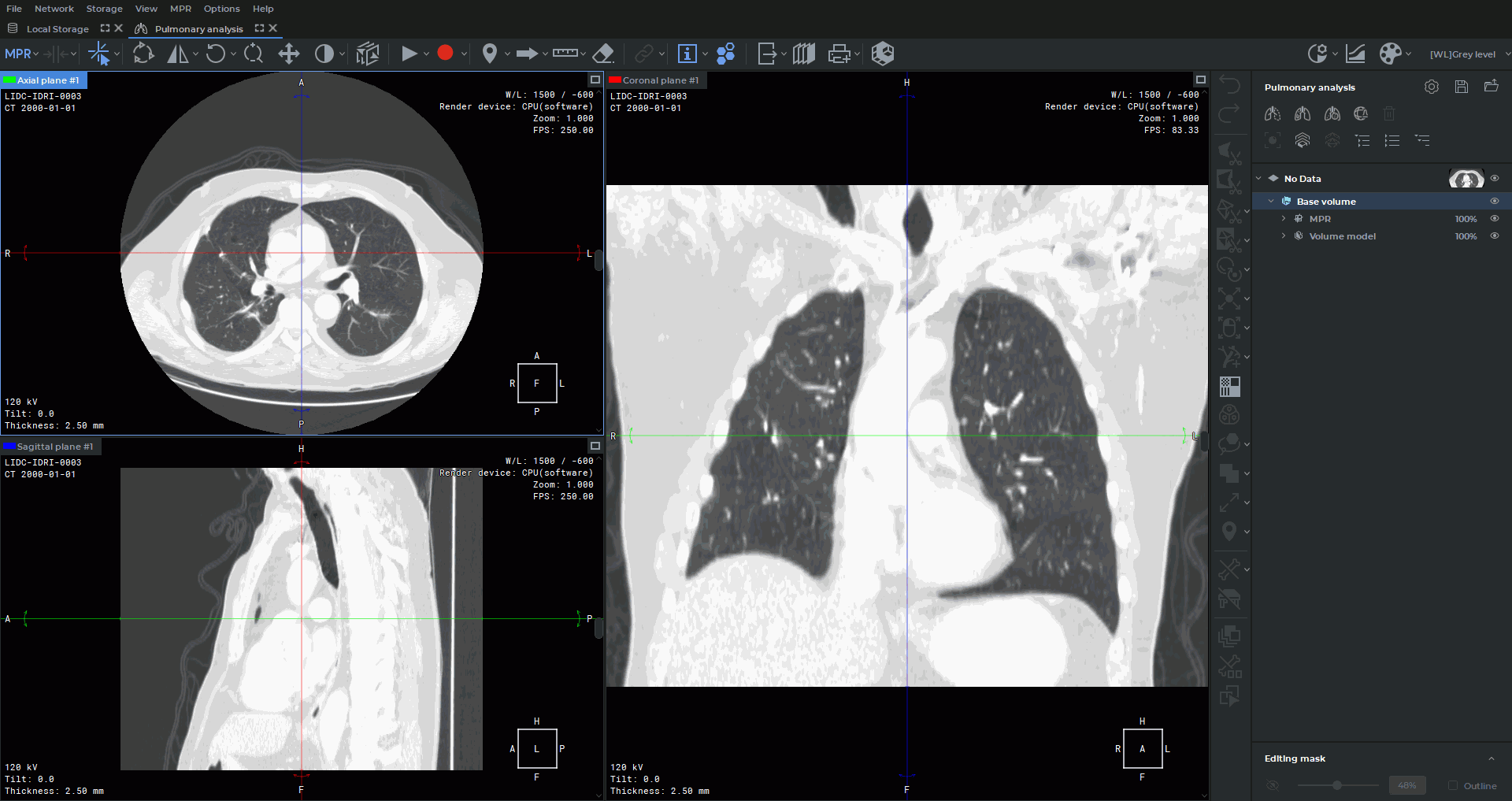
The Pulmonary Analysis tab includes the basic features of the MPR reconstruction tab and the Pulmonary Analysis panel. The tab provides MPR section plane windows, the 3D view window, segmentation tools, and tools for working with multiple series.
When the tab opens, the Lungs window width and level (W/L) preset is automatically applied to the MPR section plane windows.